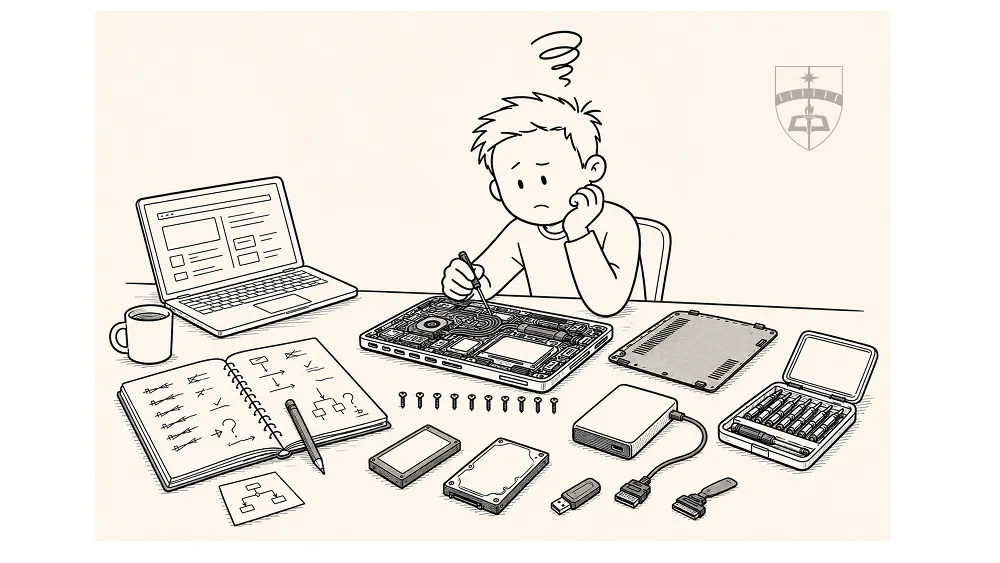
Analytical thinking occurs in more places than we generally notice. Sometimes, even simple projects sprawl well beyond the original intent. I recently had a home IT project that went a bit off the rails. It ended up being a good analytical case study for the Three Minds of Effective Analysis and UPDATE Framework!
Analytical Thinking in unexpected places - Odd Case study #1
More often than I think most of us appreciate, we find inspiration in a stange place. I had a weekend project a while ago the spiraled a little out of control. But it served as a good reminder of how the Three Minds of Effective Analysis can work together, as well as a good example of how the UPDATE Framework can apply to more than just “analysis.”
And so it begins…
I’ve been around IT enough to be dangerous. At one point, I found myself responsible for multi-million dollar server rooms and systems - but always on the policy and management side, never on the technician side. IT isn’t my background, analysis is. I often joke that I can explain the theory of modern networking, but don’t ask me to configure an enterprise router. Enter, the Honey-Do list:
My wife’s five year old laptop had become PAINFULLY slow. I decided to try my hand at fixing it (fine, it was my idea, not hers). Google and ChatGPT led me to believe that it was one of two things - insufficient RAM or a mechanical hard drive which struggled to keep up with system demands - or both. Both are fairly straightforward fixes. I even had most of the tools, I just needed to buy the RAM and a new SSD hard drive. I felt that I adequately Understood my Requirement, after all, that’s the “U” in UPDATE.
What I discovered was a masterclass in beginner’s troubleshooting: How theory and plans don’t always survive contact with reality! I was under the impression that, other than cloning the hard drive, this project would take 30-60 minutes. Here was my plan - because I HAD a plan:
The Plan
- Confirm diagnosis.
- Order SSD hard Drive and RAM
- Copy/clone the hard drive to a spare external drive I have
- Boot laptop from the external drive (to be sure it works)
- Install the RAM and new SSD hard Drive
- Copy/clone the external drive to the new SSD Hard Drive
- Success!
Simple, elegant, and woefully inadequate! I did eventually succeed, with similar looking plan, but it took 3 days, an extra laptop, an additional connector, and a lot more patience than I had planned on investing in the project. Steps 1, 2, and 3 were easy enough. I let step 3 run over night - #efficiency!
Thoughts from the back of my mind: I’m a fabulous planner!
Step 4 appeared to be fine, I was able to boot the laptop from the external drive. USB booting can be a bit clunky, but it worked. I shutdown the laptop, squinted and struggled to remove the ten tiny screws that held all the parts in place (with an equally small screwdriver), removed the current hard drive. Next I installed RAM and the new hard drive. I Put the ten tiny screws back in place. DONE!
Reality Check
Or so I thought. Even though it booted from external USB drive, it wouldn’t boot again. Windows recovery, safe mode, bios boot menu, nothing worked. My assumption: maybe the computer went to sleep but wasn’t shut down properly. That may have left an unstable instance of windows. Enough for one night, I let the computer sit for a day and ran off to the Renn Faire.
Thoughts from the back of my mind:
- This would probably be easier if I actually knew what I was doing or asked someone who does.
- The internet is helpful and answers my dumb questions. (I just…plug in the RAM, right?)
- Perhaps my plan will require revision - but for now, we’re going to brute force this.
Back from the Renn Faire. Try again, no luck!
Solution: re-clone the external HD!
Ten tiny screws out, new hard drive out, old HDD in, ten tiny screws in, re-clone it. Boot from external hard Drive. SUCCESS!
Ten tiny screws out (in retrospect, I probably could have left the screws out), old HDD out, new SSD in, ten tiny screws in…Boot.
SUCCESS…ish. It won’t boot normally but it does in Safe Mode. Maybe that will be enough (spoiler alert, it isn’t). At this point I’m considering making a windows boot/recovery key, but I’m not sure I have a the right USB drive lying around. It occurs to me that I have a SATA to USB connector. ChatGPT says it will work! My theory (ChatGPT’s theory) the combination of USB, safe mode, and trying to clone an active instance of windows just won’t happen.
Solution: Use my laptop as a go between.
It solves 2 of the 3 problems - I won’t be cloning an active instance of windows and I won’t be in safe mode. Cleaner all around. Ten tiny screws out, new SSD out - NOTHING back in…ten tiny screws stay out this time! #Growth
Thoughts from the back of my mind:
- This is probably why good IT departments have checklists and hardware cloning equipment.
- I probably could have started with this plan, likely would have been easier
Actual Progress
I get started:
- Connect the external HD to my laptop - ✔
- Connect the SATA USB connector to my … I only have 1 USB standard port. Both the external HD and the SATA USB are standard USB, not USB-C.
I just bought dongle that might work (my laptop doesn’t have a SD card reader), but it supports many connections. Bingo! It has two USB ports and it connects via USB-C!
- Connect the external HD to my laptop - ✔
- Connect the SATA USB connector to my laptop - ✔
- Download cloning software - ✔
- Start clone - ✔
Thoughts from the back of my mind: This might take a while, I should plug in my comput… crap, I used the USB-C port that supports my charger. I can’t swap it, because that will end the clone. It’s probably not the end of the world, I have a full charge.
Then at 17% complete I bumped something and get a warning “The last USB device you plugged in is malfunctioning.” I check connections and everything seems fine. I watch it a few minutes, and the clone doesn’t stop. But the warning comes up every few minutes. It think I will be OK - hope CAN be a course of action!
Eventually the clone finishes. Disconnect the new SSD, install it in the old laptop, ten tiny screws (the last time? Maybe?). SUCCESS!! Actual success. It starts up and is LIGHTNING fast compared to before.
The unintended Case Study:
I didn’t mean this project to be a learning opportunity or a case study. It was just supposed to be a quick fix to avoid buying a new laptop. At the end of the (third) day I had actually learned quite a bit:
Troubleshooting is an analytical process.
- I had to diagnose the problem, that meant taking in information, asking questions about what that means (Why is my laptop slow? Disk and Memory usage are both very high, why? Is 8G of RAM enough? Will a new SSD help? Will additional RAM help?)
- I made a plan - one I thought was good but…Multiple times my plan failed, I had to stand back, reassess, and see what was needed.
- I lacked domain experience in IT that would have made it much easier. The project should have taken a few hours had I started with the right plan. But there were a lot of factors I didn’t know about.
- I didn’t remember I had the right tool for this EXACT job. A good inventory of available tools and options can pay dividends in the right situation.
AI is a great research assistant, but it isn’t always the best solution
- ChatGPT was with me every step of the way, from diagnosis all the way through iterating solutions. But, I often replied to its suggestions with - well, what about this? And it offered different, sometimes better solutions. AI works better with human oversight and guidance, not as a crutch.
- AI and LLMs are like extremely fast, infinitely patient research assistants. Ask them a question, get an answer, way faster than a traditional methods. AI can crowd source best practices, summarize instructions, sanity check ideas. But it doesn’t always have the right answer. I have found a lot of success in conversing with AI, generating a solution overtime, providing more context and detail.
Good Plans are frequently just a starting point
- Especially for something you don’t have a lot of experience doing. I had a good plan, in fact, a variation of that plan succeeded. But the plan still evolved and changed as new information and constraints came to light.
- Mature analysis isn’t about getting the plan 100% correct during steps U and P of [UPDATE][updatelink]. It’s about getting it close enough, and managing changes as they occur.
I lacked a prepared mind:
- As stated before, domain experience matters. It matters, not just because of knowledge, but also for experience. In this case, the Prepared Mind of experienced IT professionals lives off checklists and procedures. In many cases those lists are borne out of catastrophic failures and extreme frustration. Checklists and procedures are the Prepared mind striving to build efficiency when the situation can be understood and quantified.
Closing Thoughts
I learned a lot in my little project. Even successful projects result in learning - maybe most of them do! My Curious Mind had an idea, asked a lot of questions, pushed back on AI’s suggestions, and eventually ferreted out a good plan (but it took 3 days and copious frustration). My Prepared Mind applied some critical thinking, it organized and sequenced the plan well, but it never really got to apply or create the structure it wanted to, and the plan suffered as a result. My Judicious Mind was there, but mostly in a supporting role. Its biggest contributions were deciding to make this a reality (and not a good idea we’ll get to eventually), and moving the project forward with key decisions. So next time I do something like this, maybe it’s a little less Curious Mind and a little more Prepared Mind.